 September 21, 2026
You can spend half an hour browsing stock websites and still end up with an image that is close to what you imagined, but not quite right. The person is wearing the wrong clothes. The setting feels too staged. There is no empty space for a headline. Or the picture simply looks like hundreds of others already being used online.
This is where an AI image generator can make things easier. Instead of searching through images that already exist, you can describe a scene and create a visual around the idea you have in mind.
The useful part is not getting an image in a few seconds. It is being able to experiment without having to start with a camera, a studio, or a professional design setup.
Start with a clear picture in your head
Before writing a prompt, decide what the image is actually supposed to show.
Imagine you are writing an article about a small café. You could simply type “modern coffee shop,” but that leaves almost everything open.
Perhaps what you really want is a quiet corner café on a rainy afternoon, with warm lights, wooden tables, a person reading near the window and a natural photographic look.
That description gives the generator something to work with.
You don’t need to write an essay. A few details about the subject, location, lighting, mood and style can be enough. The more important point is knowing what you want before asking the tool to create it.
Your first result is rarely the final one
One thing becomes obvious after using image-generation tools for a while: the first result is often just the beginning.
Maybe the composition is good, but the colours are too bright. Perhaps the subject is exactly what you wanted, but the background is distracting. Sometimes the image looks fine until you notice a small detail that doesn’t make sense.
Instead of throwing the whole idea away, change the part that isn’t working.
Ask for softer lighting. Move the subject further into the background. Remove an object. Change the setting from a studio to an outdoor location.
This kind of back-and-forth is often more useful than trying to write one enormous prompt that supposedly covers everything.
Reference images can save time
There are also situations where explaining an idea in words is harder than showing it.
Suppose you have already photographed a product and want to place it in a different environment. You might want the same watch on a dark wooden desk, a pair of shoes in an outdoor setting, or a piece of jewellery photographed against a cleaner background.
Starting with the existing image can make more sense than describing the entire product from scratch.
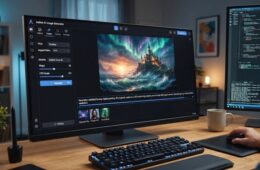
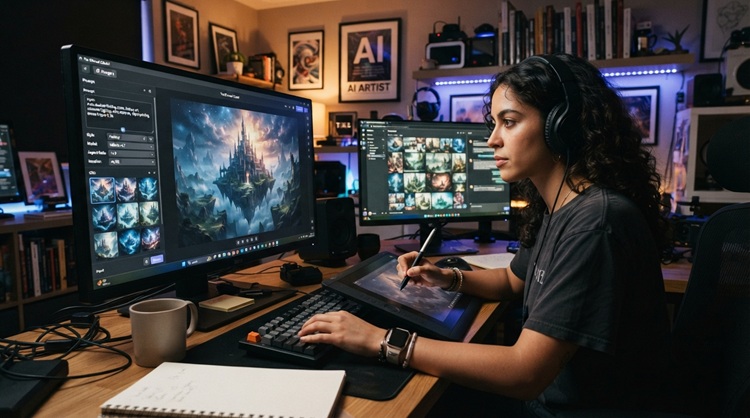
CapCut’s AI image generator supports image-to-image creation as well as text-to-image generation, allowing an existing image to be used as part of the creative process. CapCut AI Image Generator
That can be particularly handy when you want to keep an important part of the original visual while changing its surroundings or overall style.
Think about the final destination
A common mistake is to create an image first and think about its size later.
That can be annoying when you discover that the image needs to fit a particular space.
A website banner needs a different composition from a vertical phone screen. A social media post may need the main subject in the centre, while a blog header might need empty space on one side for a title.
So think about placement before generating the picture.
If text will eventually sit on the left, leave room there. If the image is going to fill a phone screen, a vertical composition will usually make more sense.
Getting the basic shape right at the beginning can save you from awkward cropping afterwards.
Don’t confuse more detail with better results
There is a temptation to make prompts longer and longer.
Sometimes that helps. Sometimes it just makes the request harder to follow.
A useful prompt usually has a clear subject and a few details that actually matter. For example, if you want a photograph of a car at night, mentioning wet roads, street lights, reflections and a realistic photographic style tells the generator much more than adding a long list of decorative words.
Think about what you would tell a photographer if you had five minutes to explain the shot.
What needs to be there?
What should the viewer notice first?
What kind of atmosphere are you after?
Those questions are often more useful than trying to find the “perfect” prompt.
Give the image a reason to exist
An attractive image isn’t automatically a useful one.
If you’re creating a visual for a business, the image should fit the brand. If it is for an article, it should have some connection to the subject. If it is going on social media, it needs to make sense in the context of the post.
For example, a dramatic futuristic image might look impressive, but it would be a strange choice for an article about traditional cooking.
This sounds obvious, but it is easy to forget when a tool can produce interesting pictures so quickly.
Ask yourself a simple question: What is this image helping me communicate?
If there isn’t a good answer, making another image probably won’t solve the problem.
Editing still matters
AI generation doesn’t remove the need for ordinary editing.
You might like an image but want to make it brighter. Maybe the crop is wrong, the colours need adjusting, or one part of the picture draws too much attention.
CapCut’s image tools include standard adjustments alongside its AI generation features, giving users options to crop and refine a generated visual instead of treating the first output as untouchable. CapCut AI Image Generator
That distinction is important.
The generated image is material to work with. It doesn’t have to be the finished piece.
A little manual adjustment can sometimes make a bigger difference than generating ten more versions.
Look closely before publishing
AI-generated pictures can look convincing when viewed quickly. A closer look can tell a different story.
Check hands, faces, small objects, signs, numbers, product details and anything else that needs to be accurate. If an image contains text, read it carefully. Strange letters or incorrect details can easily slip past you when you’re focused on the overall composition.
This is especially important for businesses.
A slightly odd background may go unnoticed. A misspelled product name will not.
Taking a minute to inspect the final image is a small price to pay for avoiding an embarrassing mistake.
Use AI for ideas, not just finished pictures
One of the more interesting uses of image generation is actually brainstorming.
Maybe you’re designing a new product page but don’t know what kind of hero image you want. You can create several rough concepts and compare them.
Perhaps you’re planning a short video and need an opening scene. Generate a few possibilities.
Or you’re working with a client who has trouble explaining what they want. Showing three different visual directions can be much easier than trying to describe each one in a meeting.
The image doesn’t even have to be used in the final project.
Sometimes its job is simply to help people decide what they want.
The creative part hasn’t disappeared
AI can handle much of the work involved in producing a first visual, but it doesn’t know your audience or your purpose unless you give it that context.
You still have to choose the idea.
You still have to notice when something feels wrong.
And you still have to decide which version is worth keeping.
That is probably the healthiest way to approach image generation in 2026. Don’t expect a single prompt to do all the creative thinking for you. Use the tool to explore possibilities, then bring your own judgment into the process.
The best result may come from the third attempt rather than the first. It may also come from taking one generated image and editing it until very little of the original remains.
Either way, the real advantage is having more room to experiment.
When creating a visual becomes easier, ideas that once stayed on paper can become something you can actually see—and that makes the next creative decision a lot easier.