 November 8, 2025
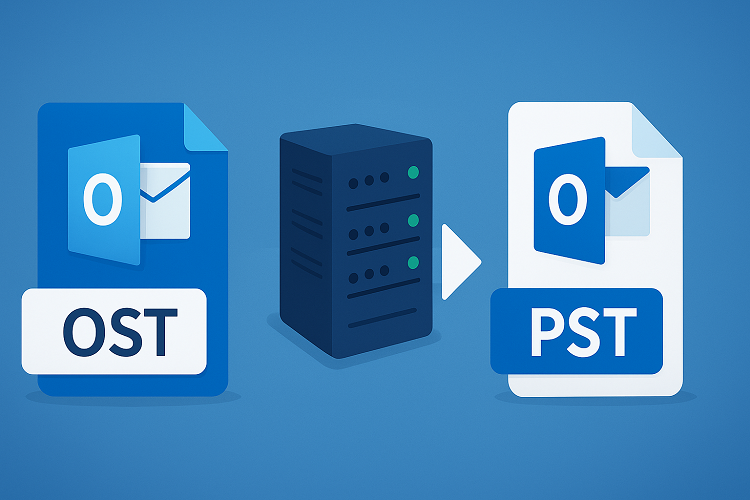
Modern businesses rely on email systems that create local copies of mailbox data for offline access. Organizations frequently need methods to convert ost to pst when recovering data from defunct servers or migrating between platforms. Microsoft Outlook users encounter situations where offline files become inaccessible after server changes or employee transitions. This conversion enables access to archived messages, contacts, and calendar entries without maintaining expensive infrastructure.
Why Email File Formats Matter for Business Operations
Microsoft Outlook employs two distinct file formats for local data storage. OST files synchronize with Exchange Server mailboxes, creating offline replicas that update automatically when connectivity restores. PST files function as standalone archives operating independently without server connections. This architectural difference creates challenges during system migrations and employee departures.
The format distinction becomes critical in several business scenarios. Employees leaving organizations retain years of business correspondence in OST files tied to decommissioned Exchange accounts. Small businesses consolidating email systems need portable archives that don’t require legacy server access. Legal departments must preserve communication records beyond active system lifecycles for regulatory compliance.
When Exchange Servers experience hardware failures, the offline OST files on user workstations may represent the only surviving copies of recent correspondence. IT departments facing server decommissioning deadlines need methods to extract historical data before infrastructure disposal. Remote workers require access to archived project documentation stored in incompatible formats.
Technical Differences Between OST and PST Structures
Exchange Server creates OST files automatically when users configure accounts in cached exchange mode. The format enables mobile workers to read messages, compose replies, and manage folders during network outages. Changes made offline synchronize bidirectionally with server mailboxes once connectivity returns.
OST files use cryptographic binding to specific user profiles and Exchange accounts. This security mechanism prevents unauthorized access but creates recovery complications. When servers are decommissioned or user accounts deleted, the OST files become orphaned—technically intact but functionally inaccessible through standard Outlook operations.
File Format Characteristics
Key distinctions separate the two formats:
- OST requires initial Exchange Server connection and profile configuration, while PST operates independently without server dependencies
- OST maintains automatic two-way synchronization with mailboxes, whereas PST stores static data snapshots requiring manual updates
- OST supports Exchange and IMAP account types, while PST works universally across POP, IMAP, and Exchange configurations
- Both formats support files up to 50GB in modern Outlook versions, though earlier releases had restrictive 2GB size limits
Microsoft introduced both formats in 1997 with Outlook 97 and Exchange Server 5.5. Early ANSI-encoded versions imposed 2GB limits that frequently caused corruption issues. The 2003 transition to Unicode encoding with 64-bit architecture expanded capacity to 20GB, later increasing to 50GB in Outlook 2010 releases.
Server Dependency and Data Portability
The PST format specification represents an open standard that Microsoft publicly documented, enabling third-party vendors to develop tools that read files without proprietary server access. This openness contrasts with OST’s server-dependent architecture, making PST the preferred format for long-term archiving and cross-platform migration projects.
Common Business Scenarios Requiring Conversion
IT professionals regularly encounter situations demanding OST to PST conversion. Server hardware failures represent urgent conversion cases, particularly when backup systems prove inadequate or corrupted. User workstations may contain the only surviving copies of mission-critical correspondence stored in offline files. Extracting this data requires conversion since direct OST access demands the original Exchange environment.
Corporate acquisitions and mergers trigger frequent conversion needs. Organizations consolidating email infrastructure must migrate historical data from legacy systems before decommissioning expensive servers. Employees retain OST files from previous employers containing project documentation and client correspondence essential for ongoing business relationships.
Practical Applications Across Industries
Different sectors demonstrate varied conversion requirements based on operational needs:
- Law firms search former employee email archives for case-relevant communications years after attorney departures
- Financial institutions preserve transaction records in accessible formats beyond minimum regulatory retention periods
- Healthcare organizations maintain patient correspondence records for medical-legal documentation and malpractice defense
- Research facilities require access to project communications from completed studies for grant reporting and publication
Conversion Process and Data Preservation
Professional conversion tools scan OST files to extract complete mailbox contents with perfect fidelity. The process recovers emails with full formatting, embedded attachments, complete contact directories, detailed calendar entries, tasks, and notes while preserving folder hierarchies and message threading. Critical metadata including send timestamps, recipient lists, and read status transfers intact to destination PST files.
Government organizations implementing secure data migration emphasize the importance of maintaining data sovereignty and implementing strict compliance protocols throughout conversion processes. Modern tools operate without Exchange Server connectivity requirements, enabling complete data recovery from isolated systems or decommissioned networks. Batch processing capabilities handle multiple OST files simultaneously, accelerating large-scale enterprise migration projects.
Benefits of Format Conversion
Organizations implementing conversion strategies gain several operational advantages:
- Platform independence allows opening PST files in any Outlook installation without Exchange Server infrastructure requirements
- Archive accessibility maintains data availability for decades after original email infrastructure decommissioning
- Migration flexibility enables importing historical data to alternative email platforms and cloud services
- Cost reduction eliminates expenses of maintaining legacy Exchange Servers solely for data access
Best Practices for Email Data Management
Proactive planning reduces conversion emergencies and ensures business continuity during infrastructure transitions. Organizations should implement scheduled PST archiving policies before initiating server migrations or processing employee transitions. Regular exports create portable backups usable across different email system generations and vendor platforms.
IT departments benefit from educating users about format purposes and technical limitations. Many employees don’t realize OST files become inaccessible after account credential changes until data recovery becomes urgent. Establishing quarterly archiving policies with automated enforcement prevents catastrophic data loss during unexpected system failures.
Key Management Recommendations
Essential practices for maintaining email accessibility and regulatory compliance:
- Regular archiving: Export critical folders to PST format quarterly for long-term preservation independent of server infrastructure
- Pre-migration planning: Systematically convert OST files before platform changes to ensure zero data loss during transitions
- Documentation protocols: Maintain precise records of PST file storage locations and contents for efficient retrieval during audits
- Capacity monitoring: Track file sizes and growth rates to prevent exceeding format limits that trigger corruption
Understanding file format purposes and conversion methods protects valuable business communications throughout technology transitions. Whether managing routine quarterly archives or executing emergency data recovery from defunct servers, proper OST and PST file handling maintains organizational knowledge and ensures regulatory compliance.